Snipping Tool vs. Freeshot
| Feature | Snipping Tool | Freeshot |
|---|---|---|
| Region / window / fullscreen | Basic | Yes + hotkeys |
| Editor with shapes and text | Limited | Comprehensive |
| Screenshot library | No | Yes |
| Multiple export formats | Few | Several (PNG/JPEG/WebP/AVIF...) |
| Team workflow support | Limited | Optimized |
Why teams move to Freeshot
- • Faster support loops thanks to clear annotations
- • Consistent style across docs, QA, and bug reporting
- • Less context switching, more focus on solving issues
When does a Snipping Tool alternative make sense?
The classic Snipping Tool works for quick one-off captures, but reaches limits in real workflows. As soon as screenshots must be annotated clearly, stored in a structured way, and reused later, teams need a broader workflow.
Screenshot tool for Windows 11
This is where Freeshot is strong as a Snipping Tool alternative: capture, annotation, and export happen in one interface. It reduces tool switching, saves time per task, and improves consistency in team communication.
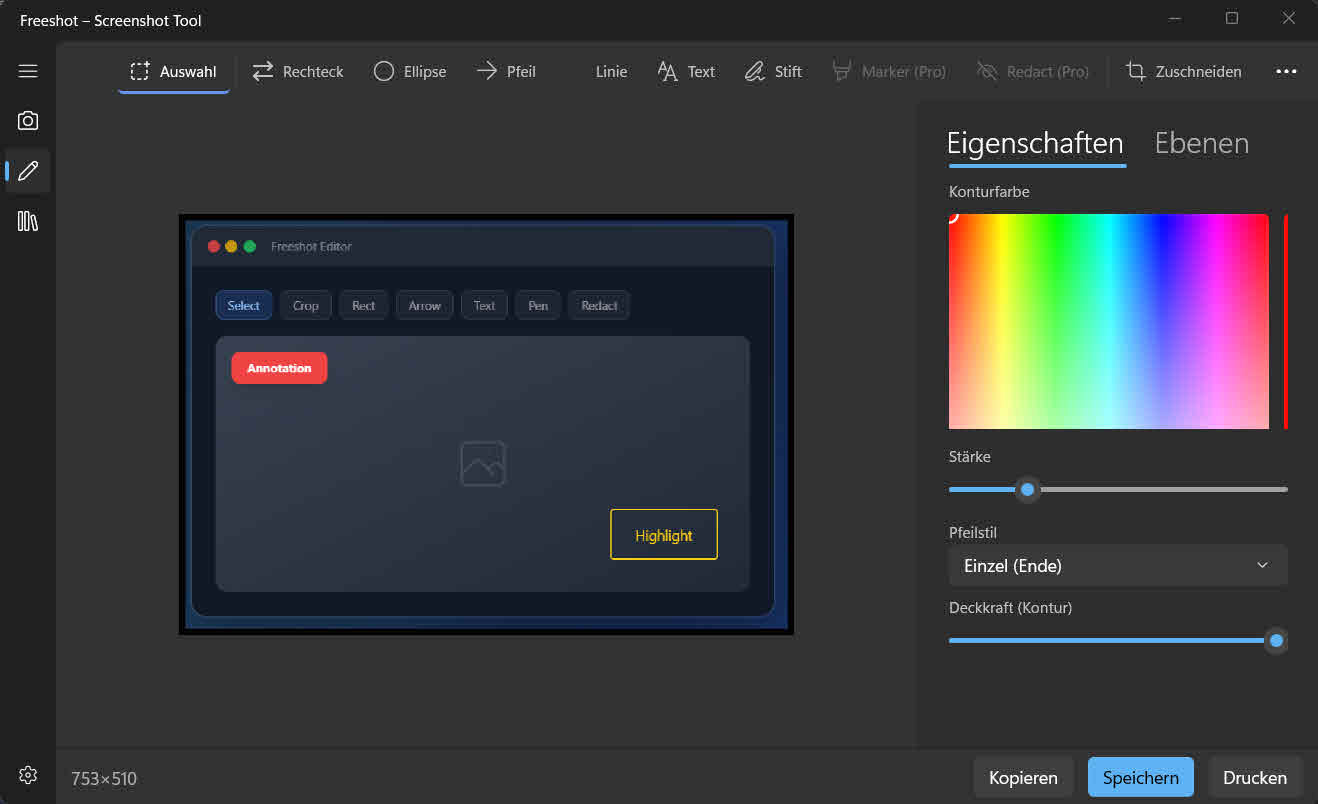
A built-in editor also improves feedback quality. Instead of long text explanations, teams mark key context directly in the screenshot. That reduces follow-up questions and speeds decisions.
What is missing after the snip
The Windows built-in captures reliably. The gap opens afterwards — in everything that should still happen to the capture.
Finding it again
Captures end up as files in a folder. Looking for last Tuesday’s one means searching Explorer. Freeshot puts them in a searchable library.
Changing it later
A burned-in arrow sits there forever. In the .freeshot format, arrows, text and markers stay separate objects and can be moved or removed later.
Numbering steps
Instructions need 1, 2, 3. Freeshot places numbered markers that keep counting when you insert or delete one, instead of typing every number by hand.
Hiding details
Names, addresses, account numbers: Freeshot redacts or pixelates them in the editor before the image leaves the house. This is part of the Pro version.
For a quick snip in between, Win+Shift+S is still perfectly fine. An alternative pays off as soon as captures turn into documentation.
FAQ: Snipping Tool Alternative
What advantages does Freeshot have over Snipping Tool?
Freeshot combines capture, annotation, library, and export, creating a complete workflow instead of isolated steps.
Is Freeshot suitable for daily team work?
Yes. Support, QA, and product teams benefit from clearer screenshots, consistent formats, and faster alignment.
Can I test Freeshot for free?
Yes. Download Freeshot and test it in your own workflow, including editor and capture features.